

SHERPACE Rental Space Booking Management System
Manage facilities, reservations, invoice creation, and sales tracking in one place.
What is SHERPACE?
SHERPACE is a booking management system for meeting rooms and rental spaces, bringing everything from booking intake to
customer management, quotations, invoicing, and sales tracking—all in one place.
Manage multiple facilities, rooms, and spaces in one place. Centralize operations that were previously spread across phone calls, email, Excel, and other tools to reduce day-to-day booking and administrative work.
 Booking Intake
 Facility & Space Management
 Customer Management
 Quotations & Invoices
 Sales Tracking
Everything you need to run your spaces in one system.
Recommended for Operators Who
Manage Multiple Locations & Spaces
View reservation status for each facility or room in a single calendar.
Handle a High Volume of Corporate Bookings
Create quotations and invoices from reservation data, including consolidated month-end billing.
Work with Multiple Staff Members
Share reservation and customer information across your team so everyone works with the same up-to-date data.
Do You Face These Challenges?
Is your reservation, customer, billing, and sales information scattered across different tools?
Web
→ Re-enter →
Excel
Google Calendar
Reservations Are Scattered Across Tools
Bookings received by phone, email, or online must be manually entered into Excel or calendars.
Room B Calendar
Reservation Log
Check with Staff
Checking Availability Is Time-Consuming
Staff must check multiple calendars and documents while handling reservations.
There is still a risk of double-booking.
→
Create Quotation
→
Create Invoice
→ Repeat for Every Booking
Quotations & Invoicing Are Time-Consuming
Quotations and invoices are created in Excel or Word for every reservation.
Aggregate ⇄
Sales Tracking Spreadsheet
⇄
Monthly Summary
Sales Tracking & Reporting Take Time
After creating invoices, sales still need to be tracked and reviewed in separate tools.
With SHERPACE, Manage Everything from Reservations to Invoicing in One Place
Run the key workflows for your rental space operations in SHERPACE.
-
1
Booking Intake
Accept Online Reservations 24/7
-
2
Reservations & Availability
Automatic Booking Conflict Checks
-
3
Customer Management
Automatically Linked to Reservation History
-
4
Quotations & Invoices
Create Documents from Reservation Data
-
5
Sales Tracking
Review Sales by Period and Facility
In SHERPACE, reservations, invoice creation, and sales tracking are connected in one workflow.
See How Daily Operations Change with SHERPACE
Tasks that once required switching between multiple tools can now be managed in SHERPACE.
Operations Are Spread Across Multiple Tools
Web
Repeated manual entry takes time and leaves room for input errors and double-booking.
Everything Is Centralized in SHERPACE
With reservation, customer, billing, and sales information in one place, there is no need to re-enter or aggregate data across tools.
See Whether SHERPACE Fits Your Operations
Tell us how many facilities you manage and how you currently handle reservations, and we’ll show you how SHERPACE can support your operations.
Key Features for Space Operations
Explore the key features alongside examples of the management screens.
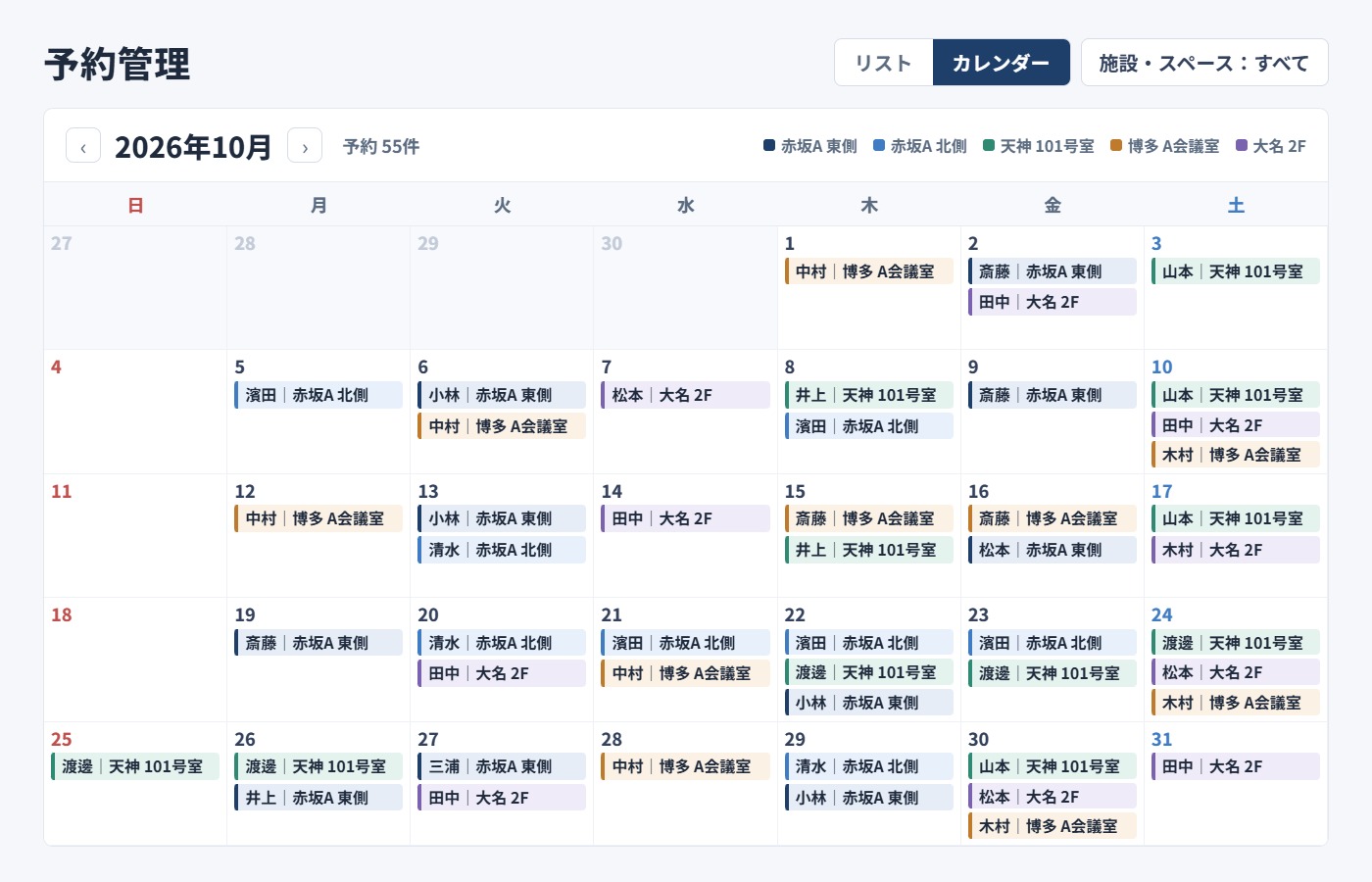
Manage Availability and Reservations in One Calendar
View reservations across all facilities and spaces in one place.
Prevent booking conflicts while managing schedules smoothly.
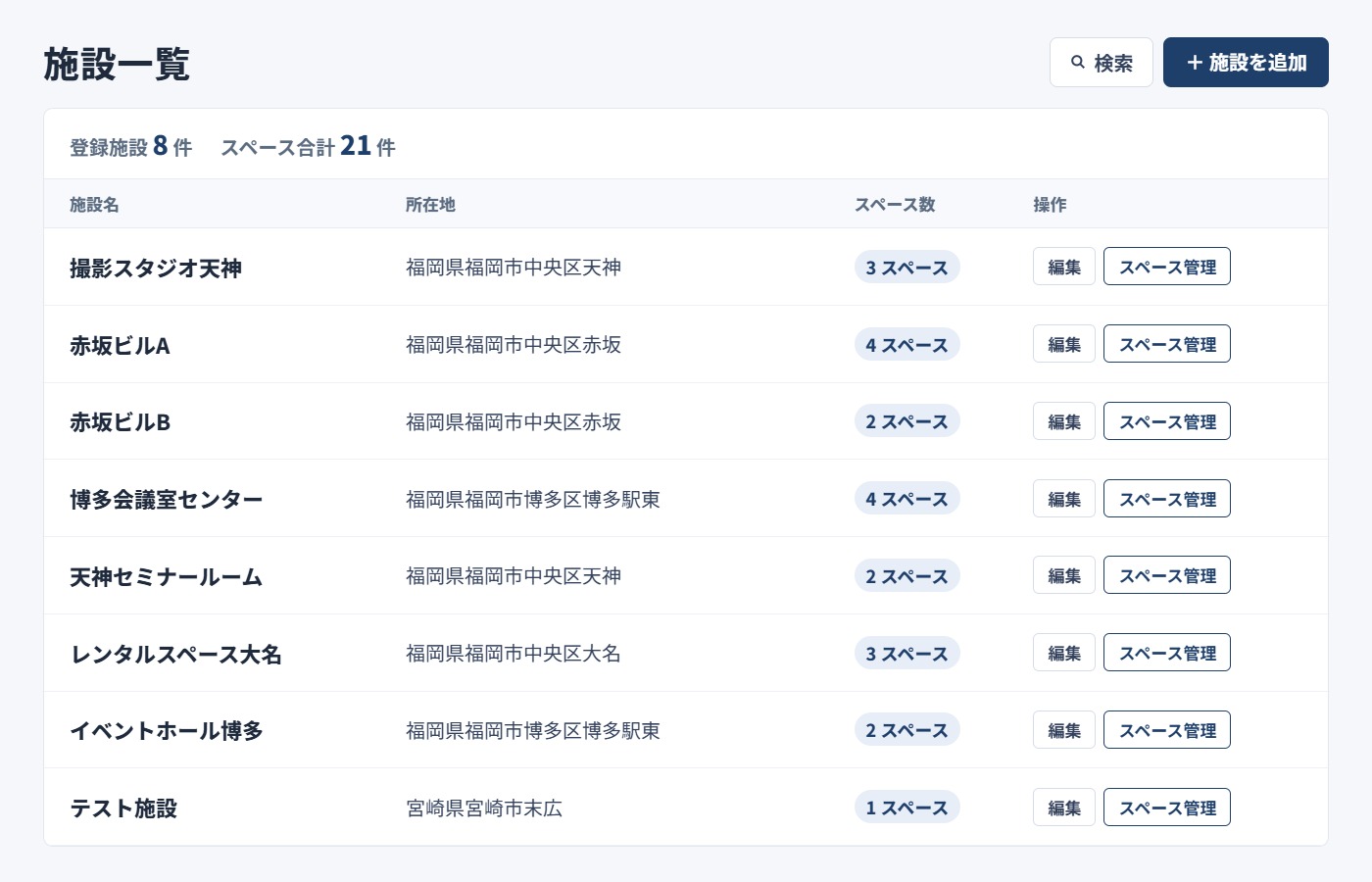
Manage Multiple Locations and Spaces in One Place
Manage each facility and space individually, making it easy to operate multiple meeting rooms or rental spaces. You can also register location, business hours, capacity, pricing, equipment, photos, and more.
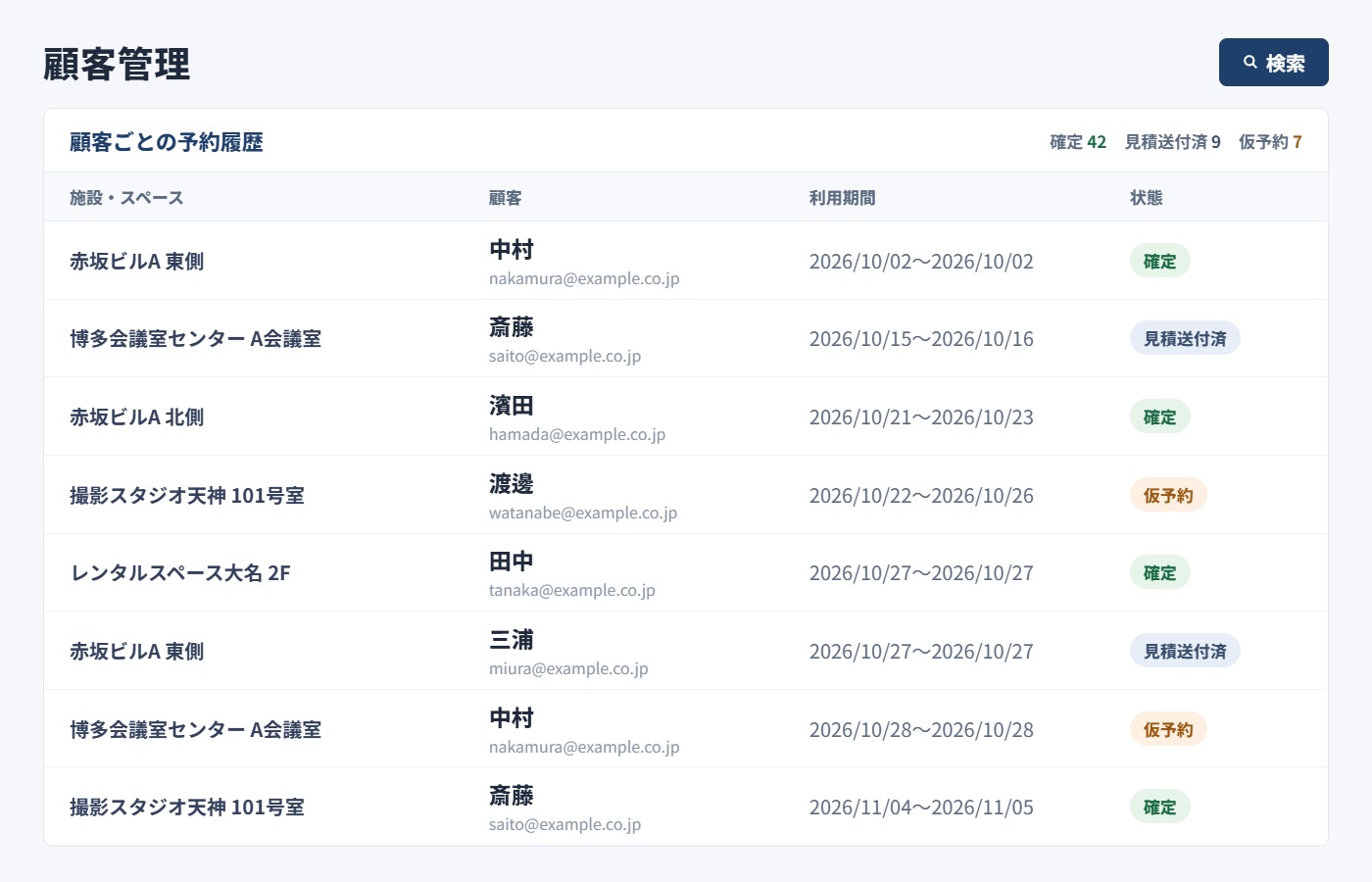
Manage Reservation and Customer Information Together
Keep customer details and reservation history in one place.
Quickly review past usage and provide smooth service to repeat customers.
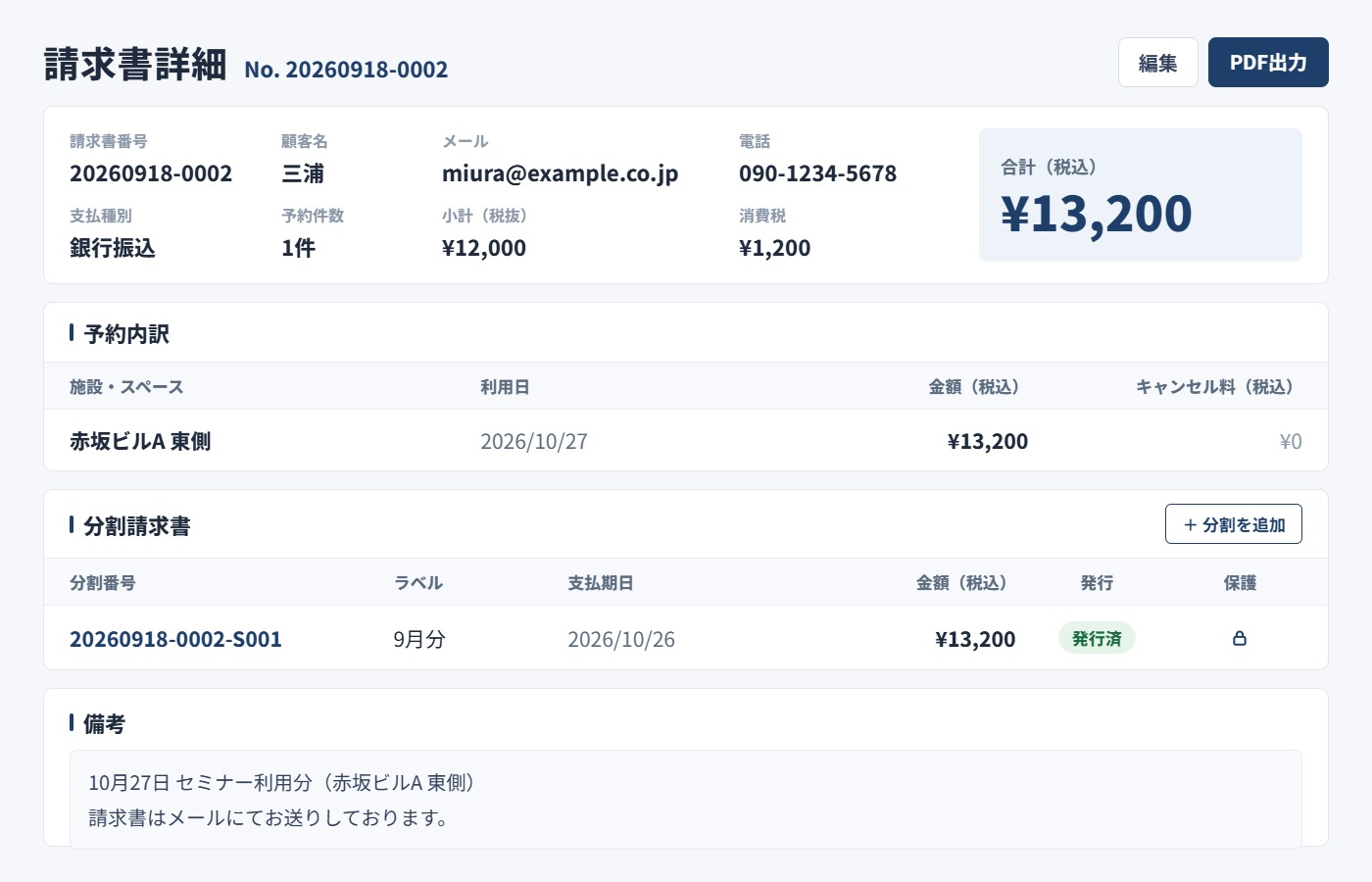
Create Quotations and Invoices from Reservation Data
Generate quotations and invoices directly from reservation data.
Reduce the need to create documents manually in Excel each time.
Amounts are calculated and document numbers are assigned automatically, and documents can be exported as PDF files.
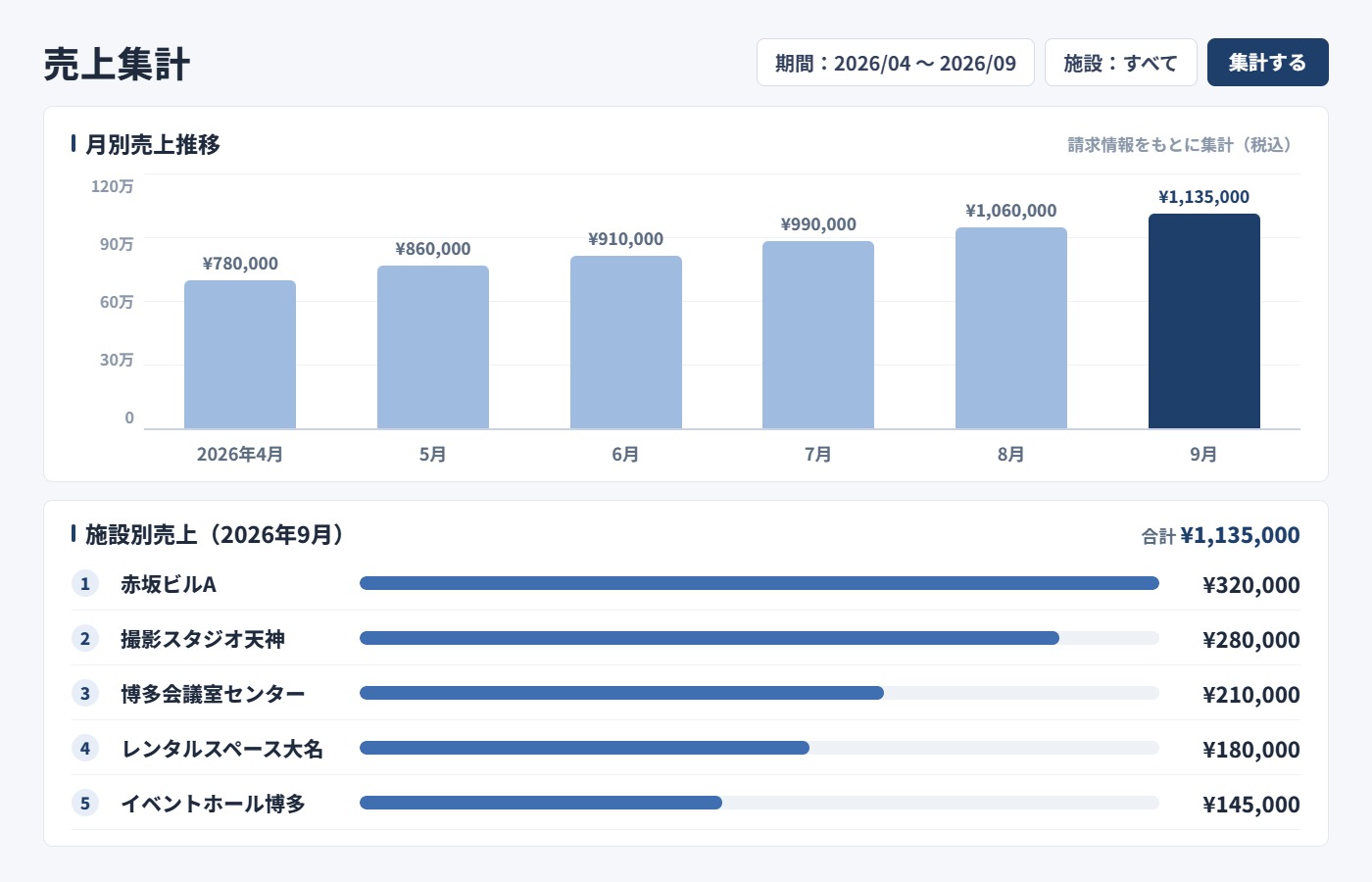
Review Sales by Period and Facility
View sales by period and facility in one place.
Use the data to monitor day-to-day performance.
Feature List

Automatic Notifications

Sales Analytics
CSV Export

Consolidated Invoicing

Bulk Messaging

User Permissions

Image Management

PC, Smartphone & Tablet Support
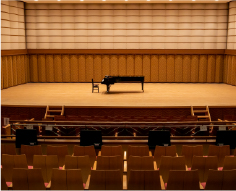
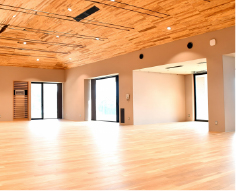
Suitable for a Wide Range of Facilities
Designed for operators managing multiple bookable spaces, including meeting rooms, rental spaces, and event or training facilities.



Also Ideal for Facilities with Multiple Rentable Spaces



Feel Free to Contact Us
Whether you want to see if SHERPACE fits your operations or simply learn more about the service,
feel free to get in touch.